 Note Names
Add note names to a PDF and print it
You have a PDF from IMSLP, Musicnotes or your teacher, and you want the letter name on every note before you print it. Here are the three ways to do it, from slowest to fastest.
1. By hand
Print the PDF and pencil the letters in, or write them on an iPad with Apple Pencil in any PDF app. It takes a while, but writing the names yourself is good reading practice. Our guide to writing note names on sheet music shows where to put them so they stay readable.
2. A browser tool, for clean digital PDFs
If the PDF was exported from notation software (MuseScore, Sibelius, Finale), a browser tool such as SheetVideo's free "add note names" tool can label it and give you a new PDF, three files a day for free. These tools are built for digital PDFs and do poorly on scans and photos.
3. Note Names, for any PDF or a photo of the page
- Open the PDF in Note Names: from Files, from Mail with Share → Note Names, or from a download. For a printed book, choose Scan pages and point the camera at the page.
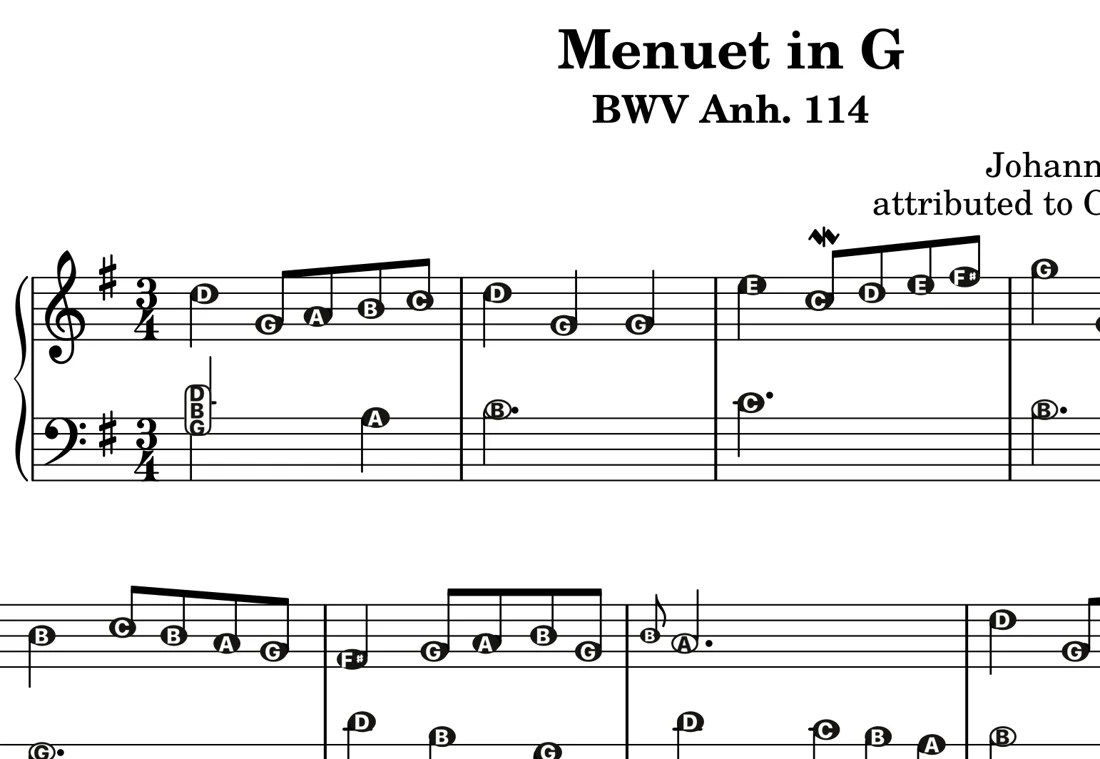
- Note Names reads the page on your device and writes the letter on every note, with sharps and flats from the key signature. Treble, bass, alto and tenor clefs.
- Check it. If a letter is wrong, tap it and pick the right one.
- Choose how the letters look: inside each notehead, or as tags above and below the staff. You can also show fewer letters, for example only the notes on ledger lines.
- Tap share to print, or save a new PDF with the letters to Files, AirDrop or Mail.
Free to try: the Verified library of 30 classical pieces, plus your first own piece (a PDF, or up to 4 scanned pages). Printing and sharing are always free. Unlimited imports is a one-time purchase, US$9.99 on the App Store. No subscription.
Questions
Can I add note names to a PDF of sheet music?
Yes. Note Names reads a sheet music PDF or a photo of a printed page on iPhone, iPad, Mac or Android and writes the letter on every note. Tap share to print it or save a new PDF.
Does it work on scanned PDFs and photos?
Note Names reads scans and camera photos as well as digital PDFs. Browser tools built for digital PDFs usually do not handle photos well.
Can I print sheet music with the note names on it?
Yes. In Note Names, tap share on any piece to print it or save it as a PDF with the letters exactly as you set them up. Printing is free.