 Note Names
Every note,
named.
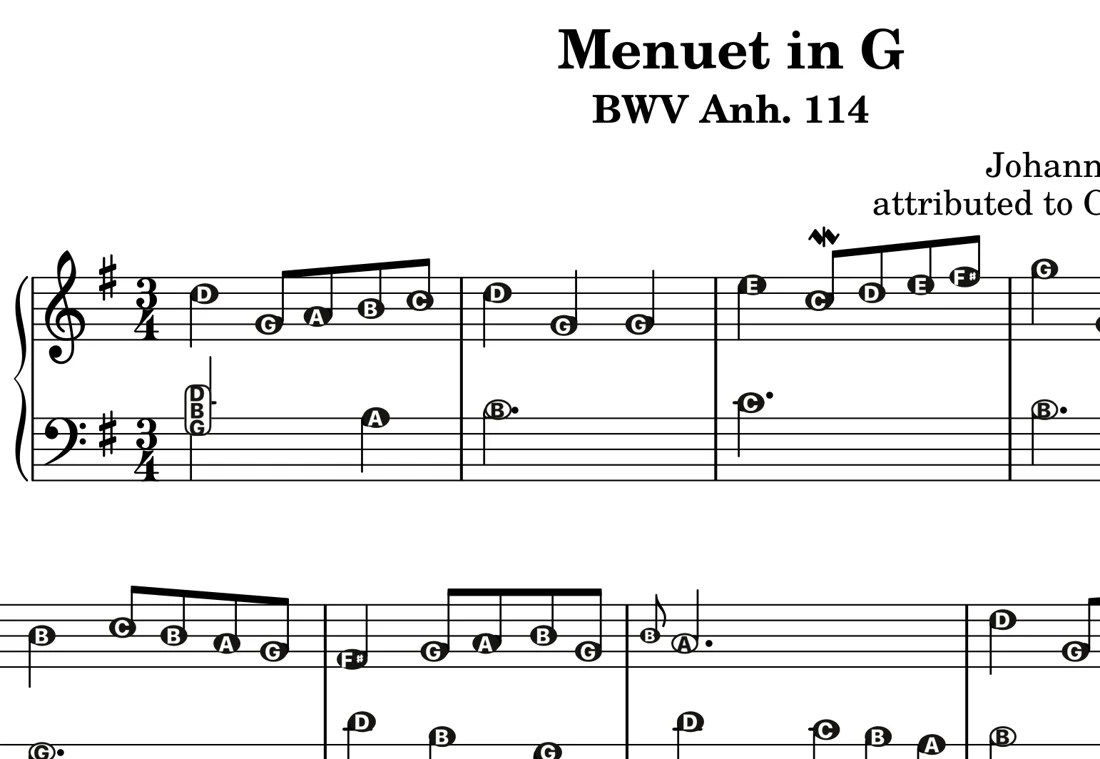
Snap a photo of the page or open a PDF. Note Names names every note, right on the notehead or just above it, so you can play the piece today and learn to read as you go. Print it with the letters, or save it as a new PDF.
Free to try on iPhone, iPad and Android: 30 verified classics plus your first own piece. Unlimited imports is a one-time purchase (US$9.99 on the App Store), no subscription.
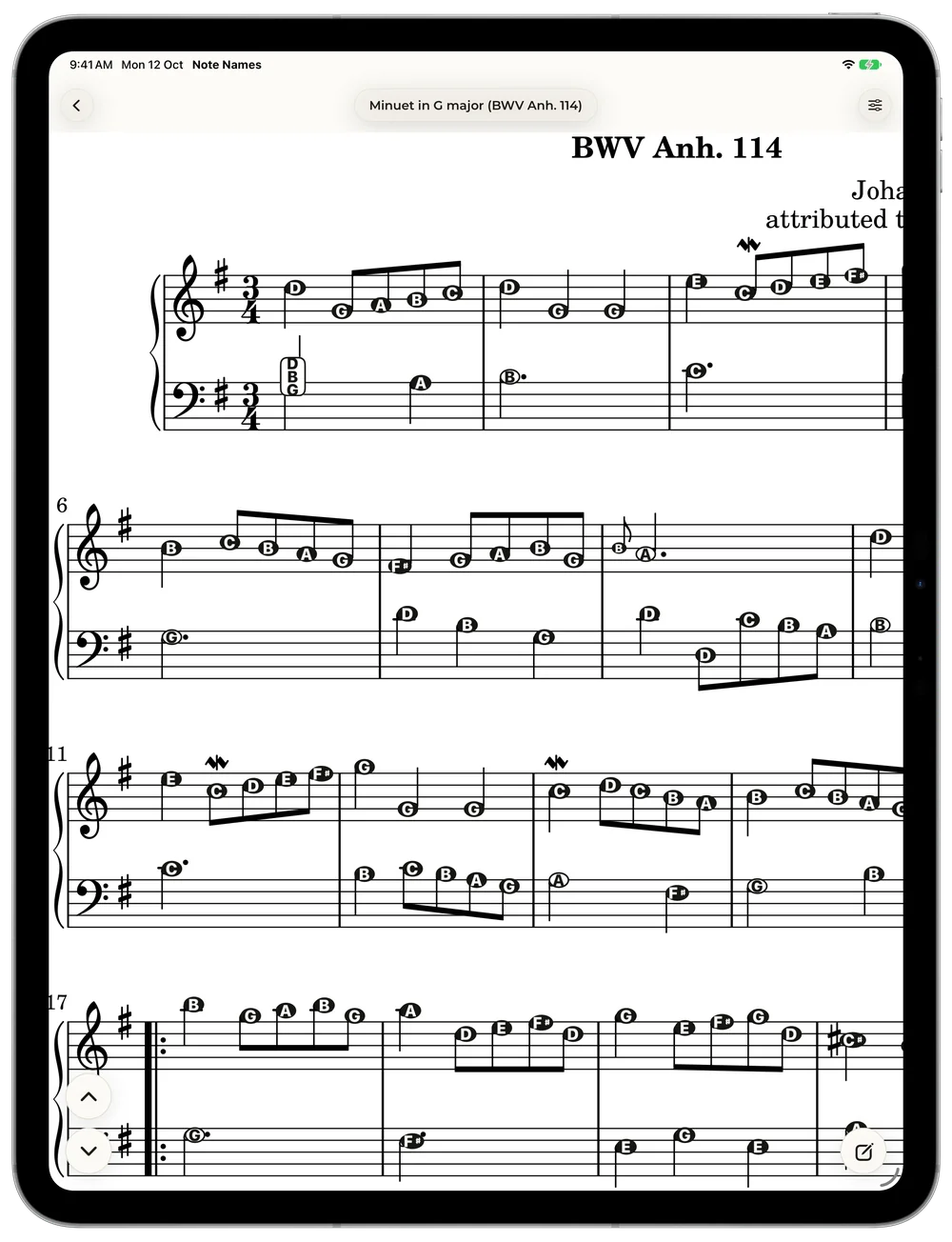
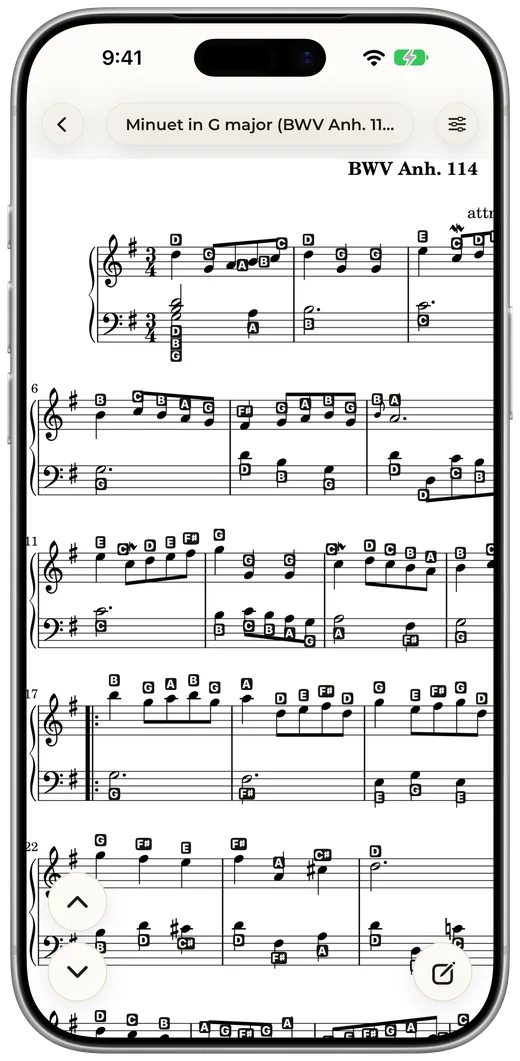
On the note, or beside it.
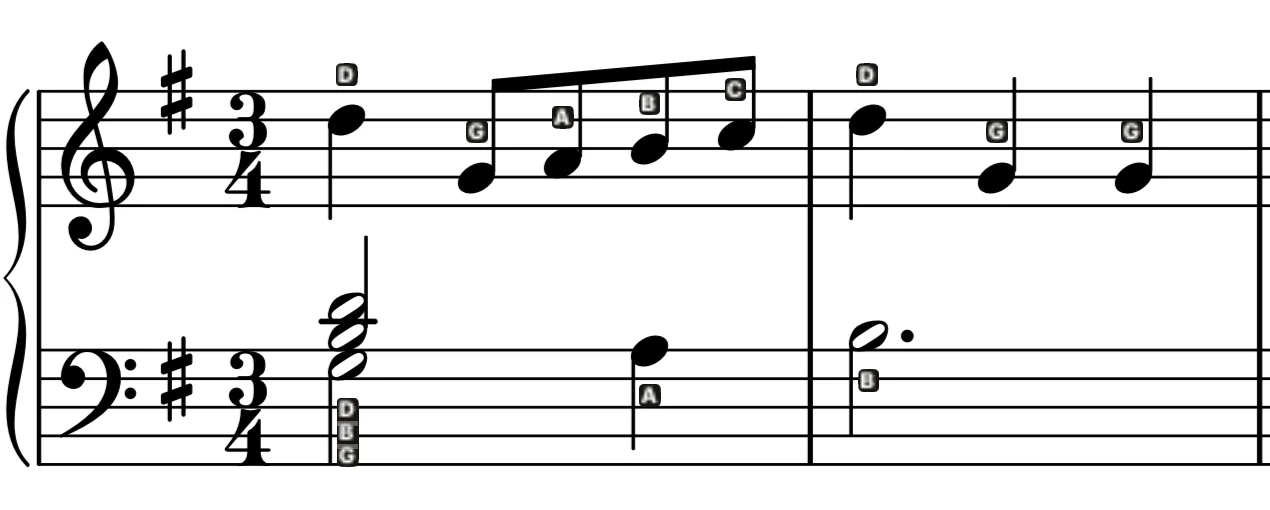
Put each letter inside its notehead, or keep the noteheads clear with small tags above the treble and below the bass. Switch any time.
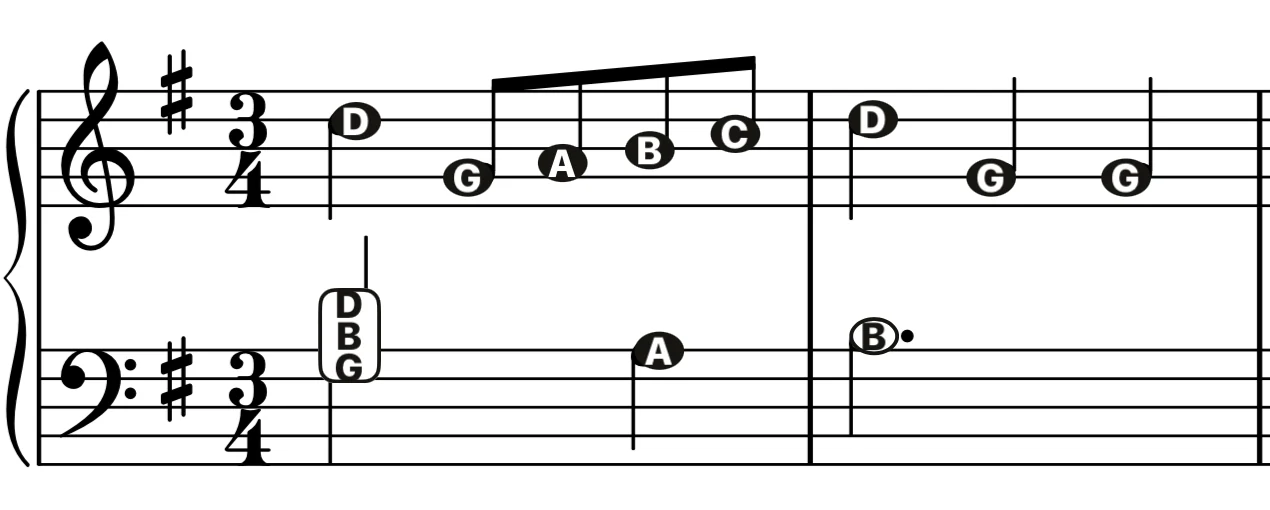
On the notes
The letter sits where your eye already is. Zoom in for close chords.
Above & below
The noteheads stay clean, so the page still looks like the page.
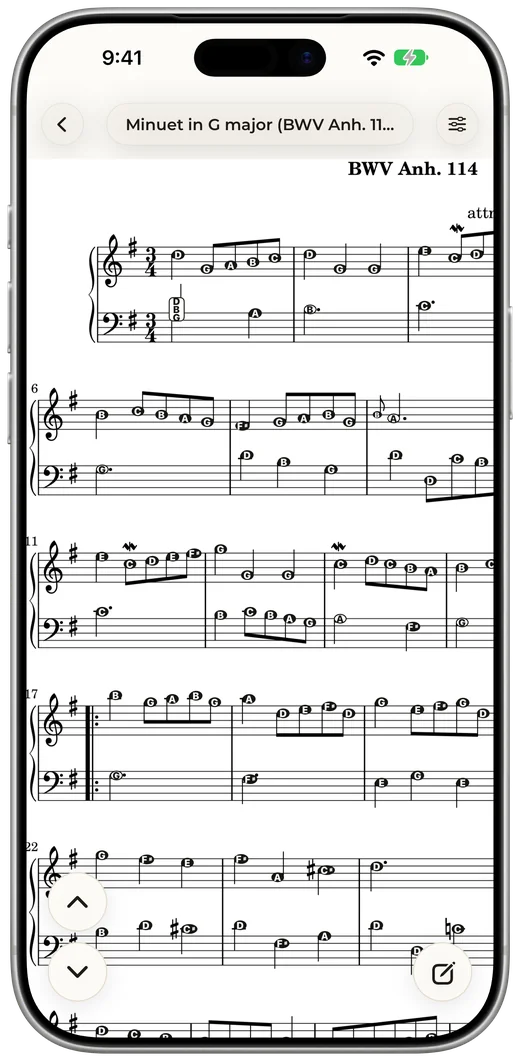
Music in. Letters on.
Open a PDF or snap a page
A download, your teacher's copy, or a photo of the book on your stand.
Every note gets named
The app reads the page on your device, clef and key signature included, and names each note.
Play, then let go
Turn the letters down as the piece sinks in, until you're reading the notes on your own.
Your photo. Every note named.
Point your phone or tablet at a printed page. Note Names finds the staves, waits for a steady, sharp shot and takes it, then names every note. Photos you already have work too.
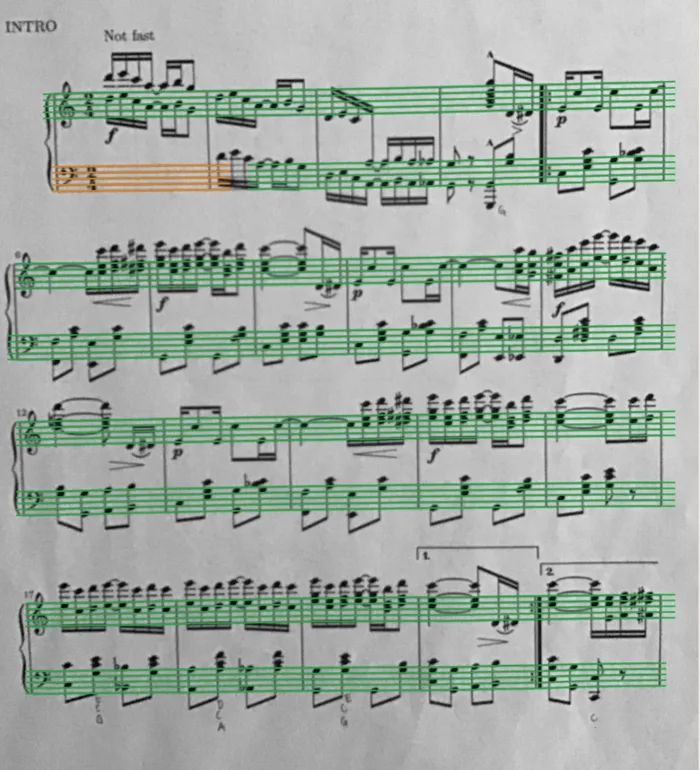 Before
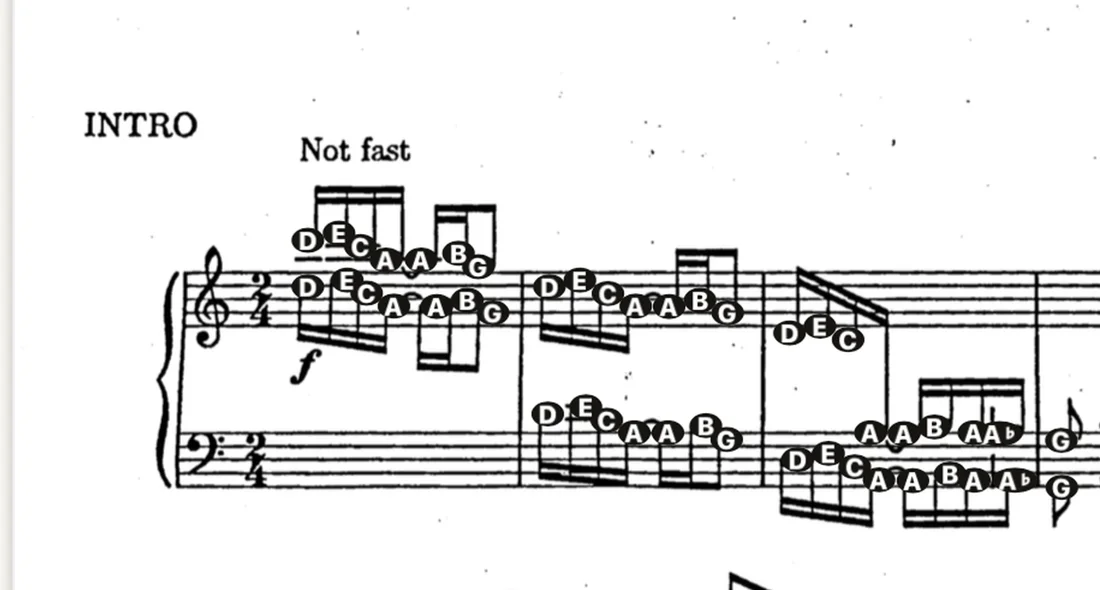 After: every note named
Take it to the piano.
Print any piece with its letters, or save it as a PDF to share with a teacher or a student. The page prints just as you set it up, fixes and markings included.
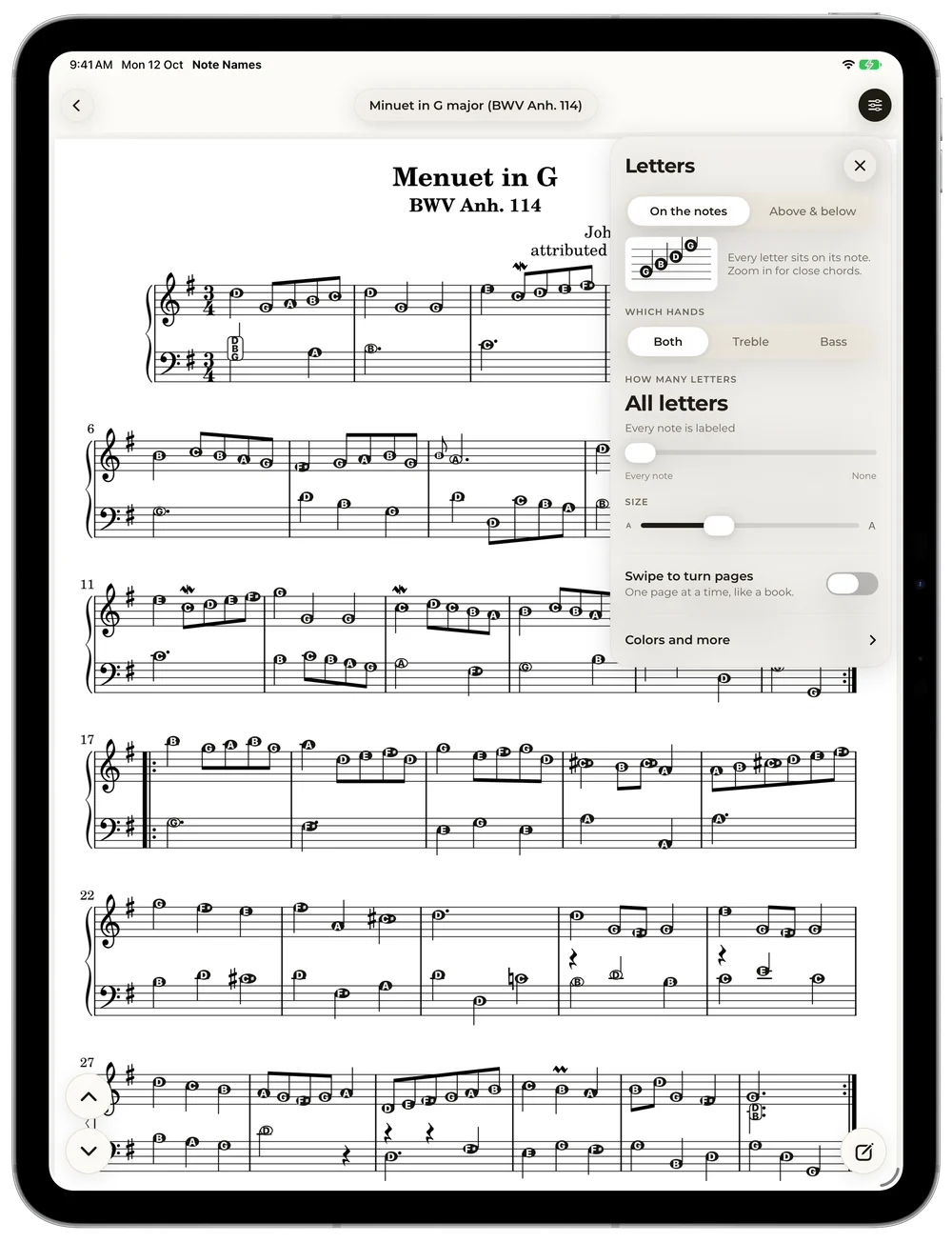
Wean off at your pace.
Slide from every letter down to none. Keep only the landmarks, or only the ledger-line notes that trip you up. Pick one hand, set the size. Each piece remembers its own setting.
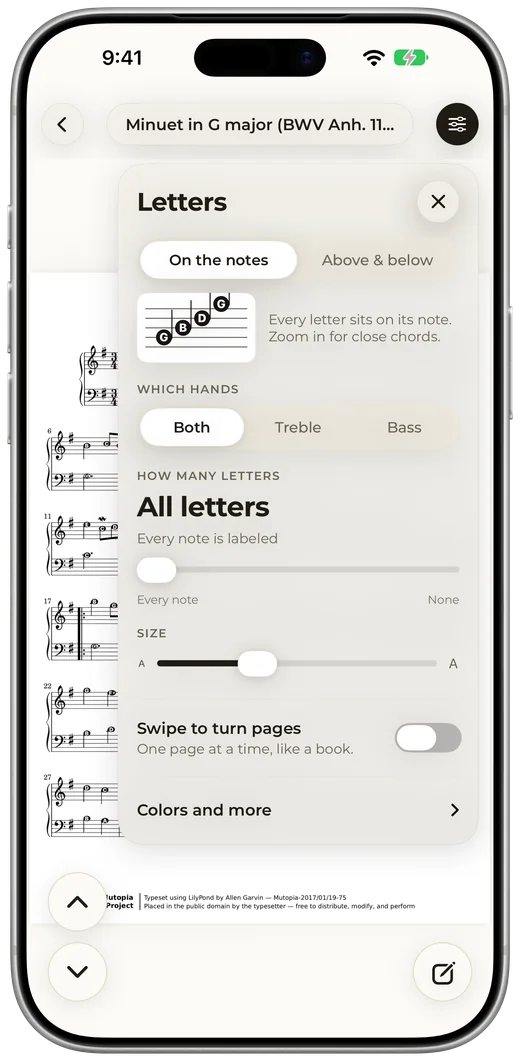
Make it yours.
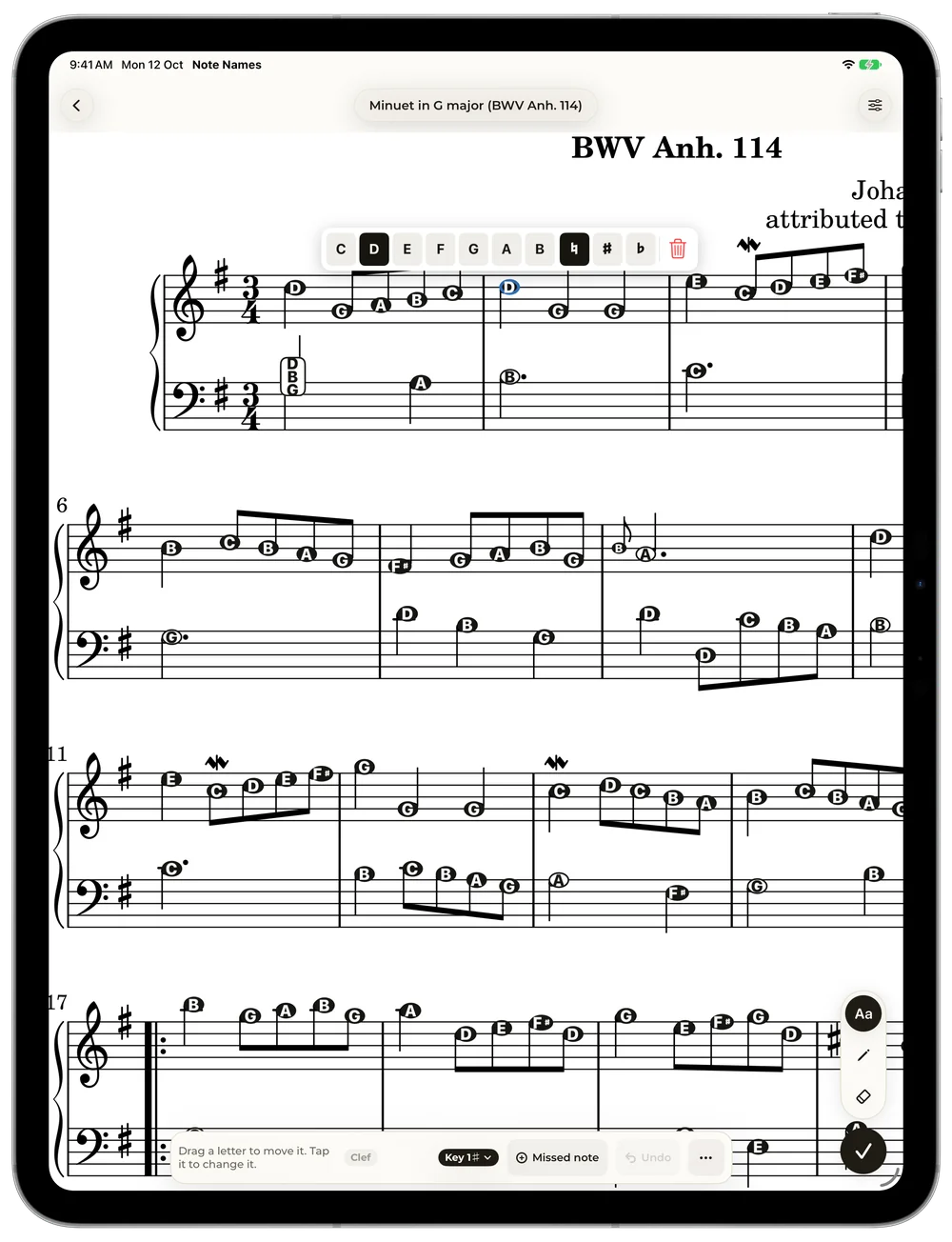
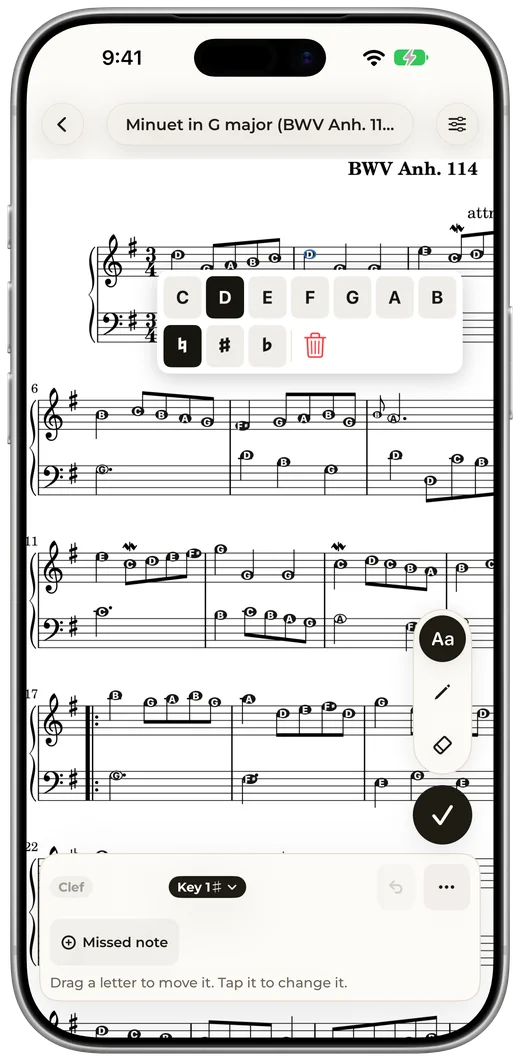
Tap a letter to change it, drag it into place, or add a note the app missed. Pencil in fingering with your finger, a stylus or Apple Pencil. It all saves with the piece.
Start with a classic.
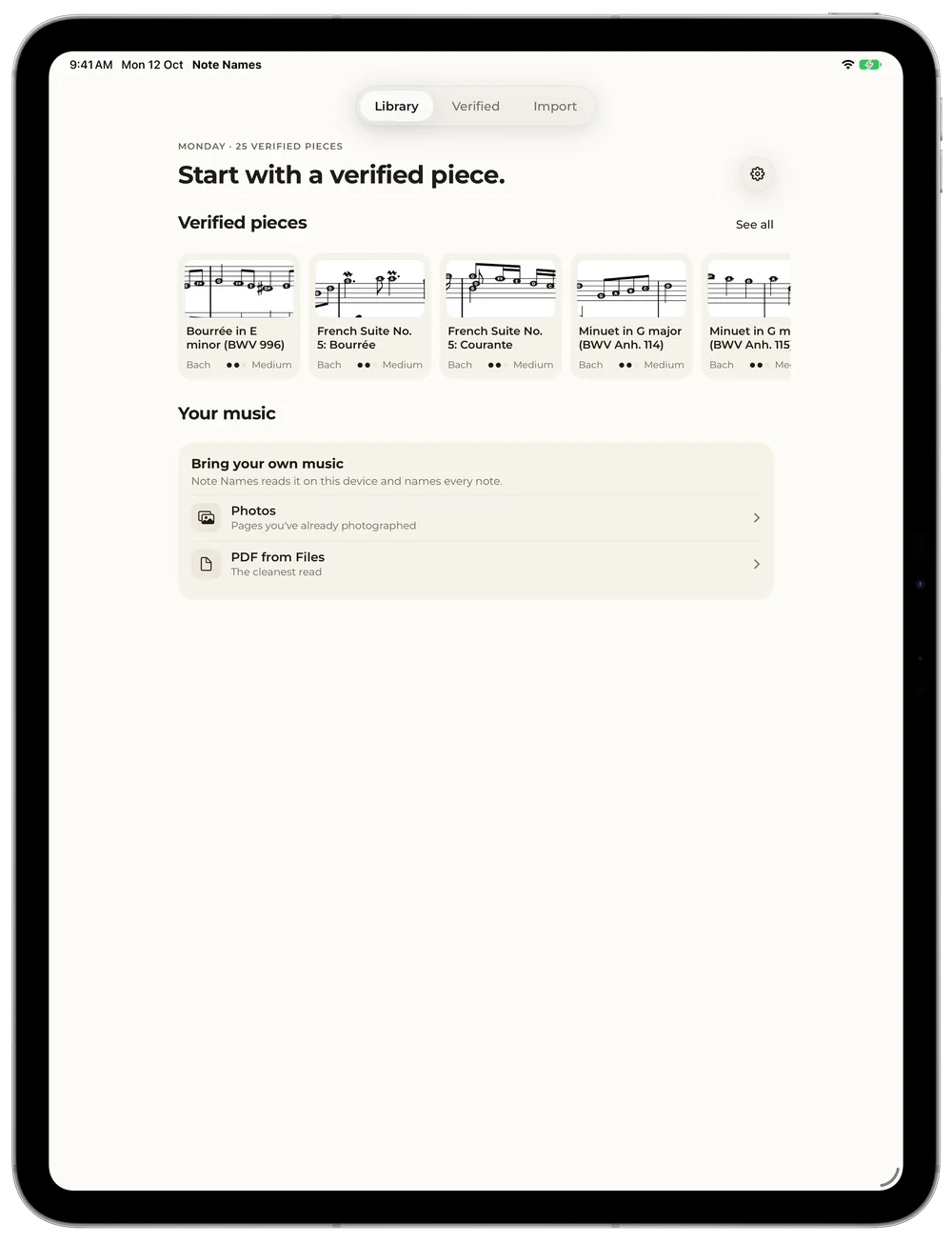
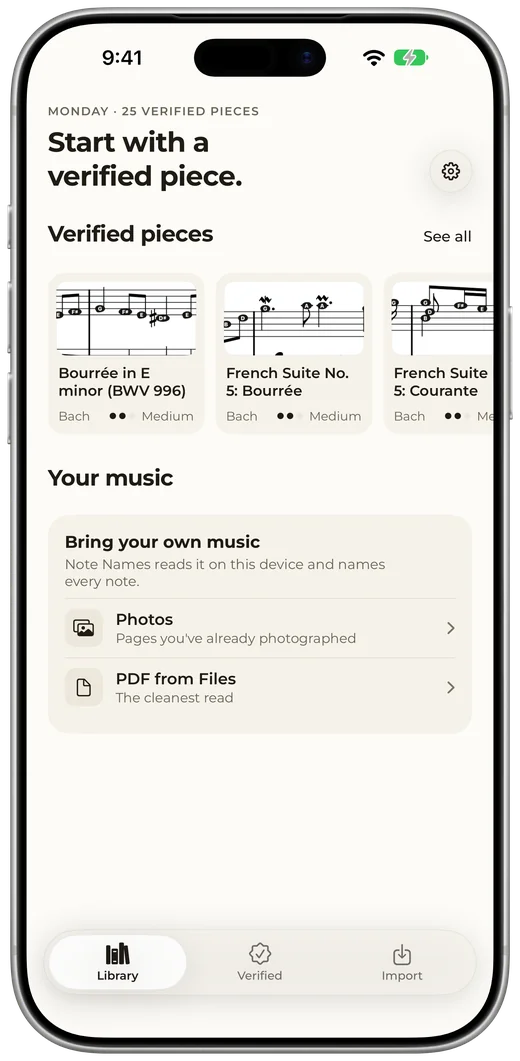
Bach, Mozart, Chopin and more, ready to open, with every note name checked.
Fits in your pocket.
The same app on your phone, for lessons, the practice room, or a piano that isn't yours.
Your music stays yours.
Reads on your device
Your music is never uploaded. The reading happens on your iPhone or iPad.
Works offline
No internet needed to read, practise or edit. Take it anywhere there's a piano.
No accounts, no tracking
No sign-up, no ads, no tracking. Read the privacy policy.
Good to know.
Can it add note names to a PDF I already have, so I can print it?
Yes. Open the PDF in Note Names (from Files, Mail or a download) or take a photo of a printed page. It writes the letter name on every note, and the share button prints it or saves a new PDF with the letters. Printing and sharing are free.
What music can I use?
Any sheet-music PDF, or a photo of a printed page. Downloads from sites like IMSLP or Musicnotes, scans and your teacher's copies all work. You can also start with the Verified library of classics. See the pieces.
Is Note Names free?
Free to try. The Verified library of 30 classical pieces is included, and so is your first own piece: a PDF, or up to 4 scanned pages. Unlimited imports is a one-time purchase (US$9.99 on the App Store), with no subscription and no ads.
Can I scan a printed book with my camera?
Yes. Choose Scan pages and point your iPhone or iPad at the page. Note Names finds the staves, waits for a steady, sharp shot and takes it. You can also pick photos you already have.
Can I print my music with the letters?
Yes. Tap share on any piece to print it or save it as a PDF, with the letters exactly as you set them up.
Where do the letters go?
Your choice. On the notes puts each letter inside its notehead. Above & below puts small tags just over the treble notes and under the bass notes, leaving the noteheads clear. Switch any time in the Letters panel.
Which clefs does it read?
Treble, bass, alto and tenor, so it works for piano, strings, winds and voice.
What if a letter is wrong?
Tap the edit button, then tap the letter and pick the right one. Fixes save with the piece.
Won't I depend on the letters forever?
That's what How many letters is for. Turn it down as a piece gets familiar: every letter, then only the tricky notes, then none.
Is my music uploaded anywhere?
No. Note Names reads your music entirely on your device and works offline. There are no accounts and no tracking.
Is Note Names on Android?
Yes. Note Names is on Google Play for Android phones and tablets, Android 8.0 or later.
Who is G?
G is the note on our app icon, and the star of our Name Tags videos. Say hi.